



Understanding Cloud Permissions and OAuth
- Last Updated on 07 August 2026
- 6 Min Read
- Posted on August 6, 2026
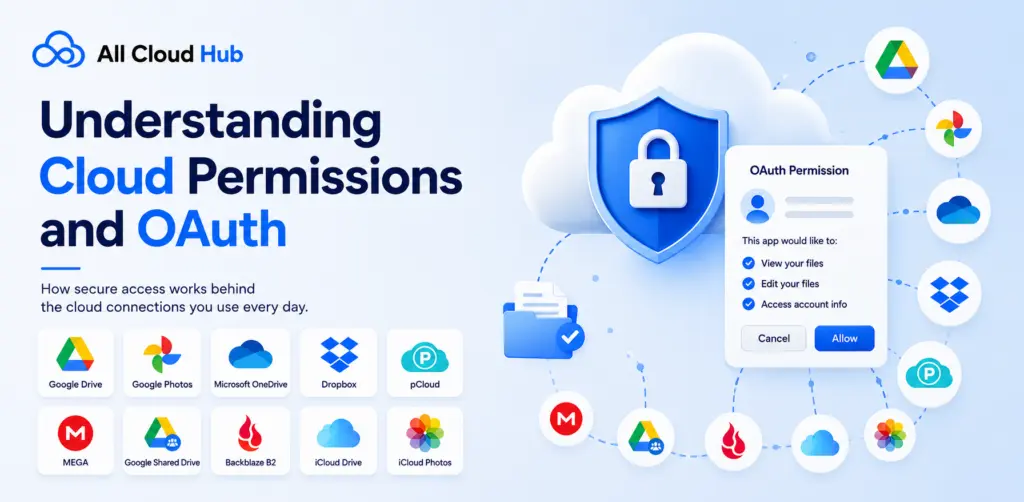
When you connect a cloud storage account to All Cloud Hub, you may be asked to authorize access to your files or account through a permission screen. For many users, this raises important questions:
- What is OAuth?
- Why am I seeing this permission request?
- Can All Cloud Hub see my password?
- Why are certain permissions required?
- Is it safe to approve them?
Understanding how OAuth and cloud permissions work makes it much easier to decide whether to connect your cloud storage with confidence.
This guide explains how OAuth works, why cloud providers ask for permissions, and how All Cloud Hub uses those permissions to manage your connected cloud storage accounts.
What Is OAuth?
OAuth (Open Authorization) is an industry-standard authorization framework that allows one application to securely access specific information from another application without ever knowing your password. Instead of sharing your login credentials with a third-party service, you sign in directly with the cloud storage provider and decide whether to grant access.
If you’ve ever used Continue with Google, Sign in with Microsoft, or connected an app to Dropbox, you’ve already used OAuth.
The biggest advantage of OAuth is that your password always stays with your cloud provider. All Cloud Hub never asks for, stores, or has access to your account password.
How OAuth Works in All Cloud Hub
When you connect a cloud storage account, the process is straightforward.
- You choose the cloud storage service you want to connect.
- All Cloud Hub redirects you to the official login page of that cloud provider.
- You sign in directly with your cloud provider if required.
- The provider displays the permissions requested by All Cloud Hub.
- If you approve them, the provider issues a secure authorization token.
- All Cloud Hub uses this token to access only the resources you approved.
At no point does All Cloud Hub receive or store your cloud storage password. The authorization is handled entirely by the cloud provider using OAuth.
Why Does All Cloud Hub Request Permissions?
Every cloud storage provider protects user data by requiring applications to request permission before accessing files.
Without these permissions, All Cloud Hub would not be able to perform the actions you ask it to perform.
The requested permissions enable features such as:
- Browsing your cloud storage
- Viewing folders and files
- Uploading files
- Downloading files
- Copying files between cloud storage accounts
- Moving files
- Deleting files when you choose to do so
- Creating folders to organize files
- Renaming files and folders
- Running scheduled file transfers
- Keeping folders synchronized
The permissions are used only to carry out actions that you initiate or configure within All Cloud Hub.
Why Do Permission Requests Look Different Across Cloud Providers?
One question users often have is why Google Drive, Dropbox, Microsoft OneDrive, MEGA, or other providers display different permission screens.
The reason is simple.
Every cloud storage provider has its own permission model and terminology. Some providers combine multiple capabilities into a single permission, while others separate them into several individual permissions.
Although the wording varies, the goal remains the same: allowing All Cloud Hub to perform the file management actions that you authorize.
Currently, All Cloud Hub supports:
- Google Drive
- Google Shared Drive
- Google Photos
- Microsoft OneDrive
- Dropbox
- MEGA
- pCloud
- iCloud Drive
- iCloud Photos
- Backblaze B2
Each provider determines its own permission scopes and consent screen.
Why Are Some Permissions Broad?
Sometimes you’ll notice permissions that appear broader than the feature you’re trying to use.
This happens because cloud providers define their own OAuth scopes. In many cases, there isn’t a separate permission for every individual action.
For example, a provider may use a single permission that allows an application to manage files instead of offering separate permissions for uploading, moving, renaming, and deleting files.
This doesn’t mean the application performs those actions automatically. It simply means the provider groups those capabilities under one permission. OAuth permissions define what an application is allowed to do, while the application only performs actions that you explicitly request.
Does All Cloud Hub Access My Files Automatically?
No.
Connecting a cloud storage account does not mean your files are automatically copied, transferred, modified, or deleted.
All Cloud Hub only performs operations when:
- You manually perform an action.
- You start a file transfer.
- You configure a folder sync.
- You create a scheduled automation.
Without your interaction or configured automation, your files remain unchanged.
Does All Cloud Hub Store My Password?
No.
Your cloud storage credentials are never shared with All Cloud Hub.
Authentication happens entirely on the cloud provider’s official website or application through OAuth. After you approve access, the provider supplies a secure authorization token that allows All Cloud Hub to communicate with your account according to the permissions you granted.
Because of this, your password remains with your cloud provider and is never visible to All Cloud Hub.
Can I Remove Access Later?
Yes. OAuth permissions are not permanent.
If you no longer want All Cloud Hub to access a connected cloud storage account, you can:
- Disconnect the account from All Cloud Hub.
- Revoke the application’s access from your cloud provider’s security or connected apps settings.
Once access is revoked, All Cloud Hub can no longer communicate with that cloud storage account until you authorize it again.
Why OAuth Is More Secure Than Sharing Passwords
OAuth has become the standard authorization method because it provides a safer alternative to sharing login credentials.
Instead of giving an application your username and password, you grant limited access through permissions controlled by the cloud provider.
This approach offers several security benefits:
- Your password is never shared with third-party applications.
- You control which permissions are granted.
- Access can be revoked at any time.
- Authentication is handled directly by the cloud provider.
- Applications receive authorization tokens instead of login credentials.
In Summary
OAuth and cloud permissions are designed to give you control over how third-party applications interact with your cloud storage accounts. Rather than sharing your login credentials, you authorize specific actions through your cloud provider, making it a secure and widely trusted way to connect services.
When you connect a supported cloud storage account to All Cloud Hub, the requested permissions are used only to enable the features you choose to use, whether that’s browsing files, transferring data between accounts, syncing folders, or automating file management tasks. Understanding why these permissions are required helps you make informed decisions and connect your cloud accounts with confidence.