



Everything You Need to Know About All Cloud Hub
- Last Updated on 13 August 2026
- 8 Min Read
- Posted on July 20, 2026
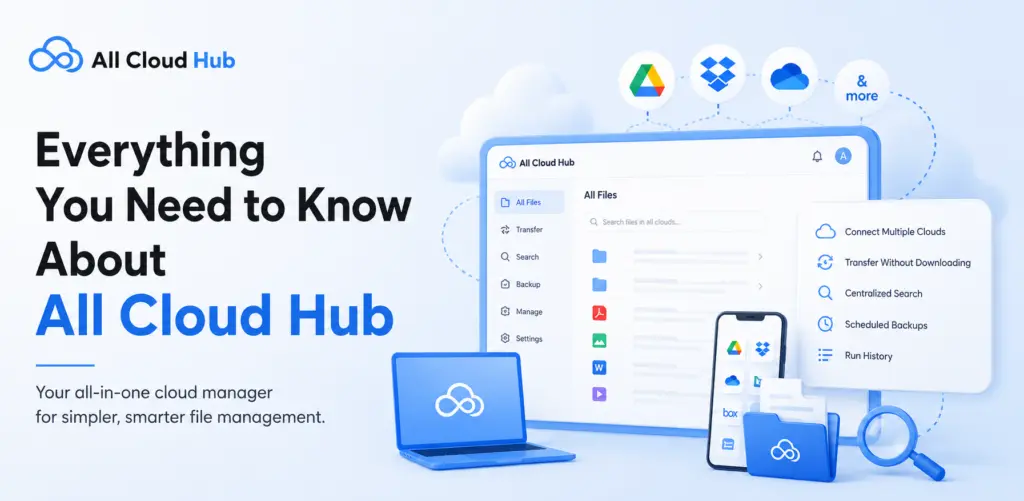
All Cloud Hub is a cloud storage manager that connects your different cloud drives and lets you manage them from a single dashboard, called FileVerse. Instead of opening a separate app or browser tab for each provider, you sign in once and see every connected account in one place.
All Cloud Hub offers two plans, Free and Power User. Both plans connect your cloud storage accounts, Google Drive, Google Photos, Google Shared Drive, iCloud Drive, iCloud Photos, OneDrive, Dropbox, pCloud, MEGA and BackBlaze B2, into one dashboard so you can search, move, and manage files without downloading anything to your device.
This article covers All Cloud Hub pricing for both web app users and mobile app users. It explains what each plan includes, how upgrading works, how the referral program works, and where to manage billing.
Available Plans
All Cloud Hub offers a straightforward pricing model designed to suit every type of user. Start with the free plan to explore the platform, then upgrade to the Power User plan when you need higher transfer limits, advanced features, and greater flexibility for managing multiple cloud storage accounts.
Features Included in Every Plan
Before comparing plans, it helps to understand what All Cloud Hub actually does. These are the core capabilities available in some form across both the Free and Power User plans.
1. Unified Dashboard (FileVerse)
All your connected cloud accounts show up in a single place, or dashboard if you will, called FileVerse. Instead of opening several browser tabs for several cloud drives, you open All Cloud Hub once and see everything together.
2. Search Across Clouds
FileVerse Search looks across every connected drive at the same time. You stop guessing which cloud a file is sitting in. This helps anyone who has used multiple providers over time and lost track of what is stored where.
3. Cloud-to-Cloud Transfers
Files move directly from one cloud provider to another. Nothing downloads to your device first. This keeps large transfers fast and keeps your local storage untouched, which matters when you are migrating a large folder of files or freeing up space on your primary drive.
4. Folder Sync
All Cloud Hub can keep folders aligned across two or more cloud accounts.
- On the Free plan, sync runs manually, whenever you trigger it.
- On the Power User plan, sync runs automatically using webhooks from Google, iCloud, Dropbox, OneDrive, MEGA and BackBlaze B2 and API polling from pCloud, so changes carry over on their own.
5. Virtual Folders
A Virtual Folder groups files from different cloud drives into a single view without moving anything. Each file stays in its original cloud account. This helps when you want to organize files by project or client, even when the actual files live across two or three different providers.
6. Scheduled and Automated Transfers
You can schedule a transfer to run once and then leave it. All Cloud Hub runs the transfer in the background and records the result in Run History, so you can check whether it completed without watching it happen.
7. Security: OAuth 2.0 and CASA Verification
You connect each cloud account through OAuth, so All Cloud Hub never sees or stores your password. All Cloud Hub has also completed CASA Tier 2 verification for the Google API Services program, independently assessed by TAC Security.
All Cloud Hub does not store your files either. Everything stays inside your own cloud accounts, and you can revoke access at any time from your dashboard or from the provider’s own settings.
Free Plan
The Free plan works well for individuals who want to stop switching between cloud accounts but do not need a large-scale setup. It suits personal use and students.
What You Get in Free Plan
- Connect up to 3 cloud accounts, in any combination of Google Drive, Google Photos, iCloud Drive, iCloud Photos, OneDrive, Dropbox, pCloud, MEGA and BackBlaze B2.
- View and manage all connected accounts through FileVerse
- Search across all connected drives at once
- Move files between clouds with drag and drop
- Set up manual folder sync
- Schedule automated transfers and check the outcome in Run History
- Group files across drives using Virtual Folders
- Transfer up to 5GB per month between clouds
- Reach support by email
Ideal Use Cases
The Free plan suits someone managing a personal Google Drive, a Dropbox account, and maybe one more provider, who occasionally needs to move or find files across them. It also works well for students consolidating a few accounts without needing large monthly transfers.
Power User Plan
The Power User plan is built for people who manage cloud storage as part of their regular work. This includes freelancers, remote workers, and anyone handling frequent or large file migrations across more than a few accounts.
What You Get Being Power User
- Connect an unlimited number of cloud accounts
- Transfer up to 100GB per month
- Automatic folder sync, instead of manual triggering
- Faster cloud-to-cloud transfer speed
- Priority support
- Smarter File Distribution – Before a transfer runs, All Cloud Hub checks the available space across your connected drives and recommends the best destination for the file, based on its size. It does not split or distribute a single file across multiple drives. It simply flags where the file will actually fit.
Real-World Use Cases
- A freelance designer consolidating client files across five or six different cloud accounts
- Someone migrating years of photos and documents from one provider to another in a single large transfer
- A remote worker who needs folders to stay in sync across two providers without manually triggering it every day
The core difference comes down to scale and automation.
- The Free plan handles a simple setup well: a few accounts, occasional transfers, and manual sync when you remember to run it.
- The Power User plan removes the account limit, raises the transfer ceiling to 100GB a month, and lets sync run in the background automatically instead of waiting for you to trigger it.
If you are only occasionally moving files between two accounts, Free is probably enough. If you are managing several accounts for work, or you rely on sync running without your involvement, Power User pays for itself in saved time.
How to Upgrade to the Power User Plan
Web Users
- Sign in to All Cloud Hub at https://allcloudhub.com/app/login.
- Look at the top-right corner of your dashboard. If you are on the Free plan, an Upgrade button appears there.
- Click Upgrade. This opens the plan selection screen.
- Select the Power User plan – this automatically activates your 3-months free offer and takes you to Stripe for completing payment. .
- Once payment goes through, Power User features unlock immediately in your dashboard.
You can manage your billing details at any time from the Billing section of your account, under Manage Billing. Billing itself is handled securely through All Cloud Hub’s payment provider.
Mobile App Users
At present, the Power User plan cannot be purchased directly inside the All Cloud Hub mobile app. You need to follow the same steps we have mentioned for web users.
You do not need to purchase anything separately inside the mobile app. Power User access is tied to your account, not to a specific device.
Referral Program
All Cloud Hub also includes a referral program that rewards you for inviting friends who go on to actively use the product.
Any registered All Cloud Hub user (no matter which plan they use) can access the referral dashboard and send invites.
How Referrals Work
The referral dashboard tracks three stages as friends move through the program:
- Invites Sent: the number of invitations you have dispatched to friends.
- Registered Friends: friends who successfully signed up using your referral link.
- Qualified Referrals: friends who registered and connected at least 2 cloud accounts.
A friend only counts toward your rewards once they reach the Qualified Referrals stage. Signing up alone is not enough. They need to connect at least 2 cloud accounts to qualify.
Rewards
| Milestone | Reward |
|---|---|
| Your first successful referral | Enjoy extra 5GB of bonus transfer bandwidth per month for 3 months, giving you more room to move files across your clouds. |
| Three successful referrals | Unlock 3 months of Power User, with access to premium features at no additional cost. |
Where to Access Referrals
The referral dashboard is available inside your signed-in All Cloud Hub account. All referral rewards are applied automatically as soon as you reach the required milestone, so there’s nothing you need to claim manually.
Everything related to referrals is available right inside All Cloud Hub. Simply click on your Profile icon and navigate to Invitations to view your referral links, track your invitations, monitor your progress, and see the rewards you’ve earned, all without leaving the app.