
Help Center
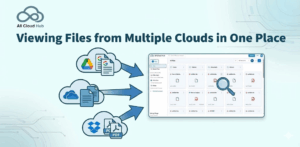
Viewing Files from Multiple Clouds in One Place
All Cloud Hub allows you to view files and folders from multiple connected cloud storage accounts together inside FilesVerse. This...
Read More →
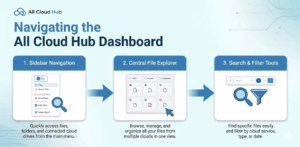
Navigating the All Cloud Hub Dashboard
When you sign in to All Cloud Hub, you land directly on the Files view inside FilesVerse. This screen acts...
Read More →

How to Disconnect a Cloud Account Safely
Disconnecting a cloud account from All Cloud Hub removes it from FilesVerse, but it does not affect your actual files....
Read More →
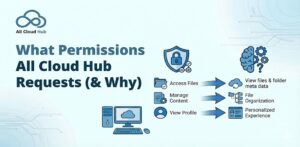
What Permissions All Cloud Hub Requests (& Why)
When you connect a cloud storage account to All Cloud Hub, you are asked to grant certain permissions. This page...
Read More →
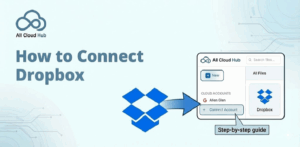
How to Connect Dropbox to All Cloud Hub
This guide explains how to connect a Dropbox account to All Cloud Hub. Once connected, files and folders from your...
Read More →

How to Connect OneDrive
This guide explains how to connect a OneDrive account to All Cloud Hub. After connecting OneDrive, its files and folders...
Read More →
How to Connect Google Drive
This guide walks you through how to connect a Google Drive account to All Cloud Hub. Once connected, files and...
Read More →

System Requirements and Supported Cloud Services
This page explains what you need to use All Cloud Hub and which cloud storage services are currently supported. If...
Read More →

All Cloud Hub Terminology Explained
This page explains the common terms you will see while using All Cloud Hub. If you are ever unsure what...
Read More →

How All Cloud Hub Works
All Cloud Hub is designed to work with your existing cloud storage accounts, not replace them. Instead of moving your...
Read More →

What is All Cloud Hub?
All Cloud Hub is a cloud storage manager that lets you view, search, transfer and organize files across multiple cloud...