
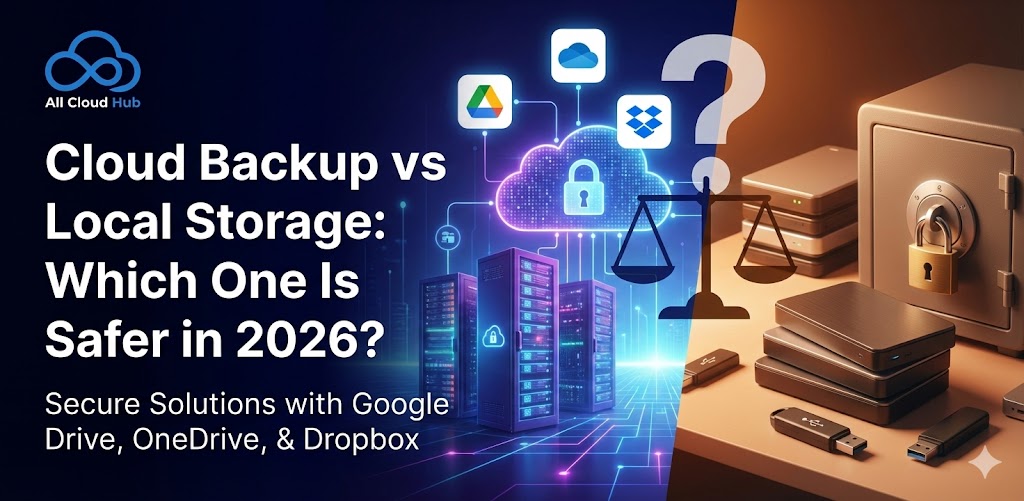
In 2026, data loss isn’t rare—it’s expected. Laptops fail, hard drives age out, and devices go missing. The real question most people ask today isn’t if something will happen, but:
When it does, will my files still be there?
That’s where the debate around cloud backup vs local storage really begins.
Let’s look at how both options perform in real-life situations—and which one actually keeps your data safer.
What Happens When a Laptop Crashes or Disappears?
Imagine this scenario:
Your laptop won’t turn on after an update. Or worse—it’s stolen while traveling.
If your files live only on that device or an external hard drive, you’re instantly stuck. Recovery often means expensive repair attempts or total data loss.
This is one of the biggest local storage risks people face today. Hard drives don’t warn you before failing—they just stop working.
Cloud backup exists specifically to solve this problem.
Why Local Storage Alone Is No Longer Enough
Local storage feels safe. Your files sit right there on your laptop, desktop, or external hard drive—visible, physical, and seemingly under your control. For years, that sense of ownership made local storage the default choice for backups.
But in 2026, relying only on local storage is no longer practical—or safe.
Modern data usage has changed. We store larger files, work across multiple devices, and expect instant access anytime, anywhere. Local storage simply can’t keep up with these expectations, and its limitations are becoming harder to ignore.
Here are the most common issues with local storage today:
One device = one failure point
When all your data lives on a single device, everything depends on that device working perfectly. If a hard drive crashes, a laptop motherboard fails, or an external drive stops responding, your files can disappear instantly. There’s no built-in redundancy unless you manually create multiple copies—which most users don’t maintain consistently.
Manual backups that get delayed or forgotten
Local backups require discipline. You have to remember to plug in drives, copy files, and verify backups. In reality, backups are often postponed until “later.” Over time, weeks or months of new data may exist only in one place. When something goes wrong, users realize too late that their backups are outdated or incomplete.
Vulnerability to theft, fire, or water damage
Physical storage is exposed to physical risks. A stolen laptop, a house fire, flooding, or even power surges can wipe out years of data in seconds. Because local backups are often stored in the same location as the original device, a single incident can destroy both the primary files and their backups.
Hardware wear that happens silently over time
Hard drives and SSDs don’t fail overnight—they degrade gradually. Bad sectors, memory cell wear, and mechanical fatigue often go unnoticed until the device suddenly becomes unreadable. By the time warning signs appear, recovery can be expensive or impossible.
Even careful users fall into this trap. Files accumulate, storage fills up, backup routines slip, and everything quietly ends up depending on one device.
That’s why in 2026, more individuals and businesses are actively searching for cloud storage vs hard drive comparisons—not just for convenience, but for long-term data safety and resilience.
How Cloud Backup Works (Without the Tech Headache)
Modern cloud backup is designed to be invisible.
Once set up, your files automatically sync to secure cloud servers in the background. If your device fails, your data doesn’t.
With platforms like All Cloud Hub, users can manage cloud storage, backups, and file access from one centralized place—without dealing with complex tools or settings.
Key benefits include:
Automatic file backup
Cloud backup works continuously. Files are backed up in real time or at scheduled intervals without manual intervention. This eliminates the risk of outdated backups and ensures your most recent data is always protected.
Protection against device failure
Because files are stored off-site on secure servers, hardware failures don’t put your data at risk. Even if your device stops working entirely, you can restore your files on a new device within minutes.
Secure access from any location
Cloud backups aren’t tied to a physical device or location. Whether you’re working from home, traveling, or switching devices, your data is accessible whenever you need it—without carrying external drives or worrying about local storage limits.
No reliance on user memory or manual steps
The biggest advantage of cloud backup is consistency. There’s no need to remember to run backups, plug in drives, or manage storage manually. Once configured, the system works automatically, reducing human error—the most common cause of data loss.
This is why cloud backup safety has improved dramatically over the last few years.

Cloud Storage vs Hard Drive: Safety Breakdown
When comparing cloud storage and hard drives, the real question isn’t convenience—it’s risk. What happens when something goes wrong? Looking at everyday failure scenarios makes the difference clear.
Local Storage (Laptop or External Drive)
- Files exist in one physical location
Data lives on a single device or drive, creating a single point of failure. - Failure = potential total loss
Hardware crashes, corruption, or accidental damage can wipe out files instantly. - Backups depend on user discipline
Manual backups are easy to delay or forget, often leaving data outdated or unprotected. - Recovery can be slow or impossible
Data recovery is expensive, time-consuming, and not always successful.
Cloud Storage
- Files stored across redundant systems
Data is replicated across multiple secure servers, reducing the risk of loss. - Device failure doesn’t affect availability
Even if a laptop or phone fails, files remain accessible. - Backups run automatically
Continuous or scheduled backups ensure data stays protected without manual effort. - Easy recovery from anywhere
Files can be restored quickly on any device with internet access.
So, is cloud storage safer than local storage?
From a risk perspective, yes—especially when cloud backups are properly managed through a unified platform like All Cloud Hub, which gives visibility and control across multiple cloud services instead of leaving data scattered and unmanaged.
Is Cloud Backup Actually Secure?
Security is a common concern when it comes to cloud backup, but most of these fears are outdated. Cloud platforms in 2026 follow far stricter security standards than many personal devices and local storage setups.
Today’s cloud backup solutions rely on multiple layers of protection, including:
Encrypted data transfers
Files are encrypted while moving between your device and the cloud, making intercepted data unreadable.
Secure access controls
Strong authentication and permission-based access help ensure only authorized users can view or manage files.
Redundant storage locations
Data is stored across multiple secure data centers, so hardware failures or outages don’t result in data loss.
Continuous monitoring
Cloud environments are monitored 24/7 to detect unusual activity, threats, or system failures early.
In many cases, cloud storage is actually more secure than personal devices, which often lack strong encryption, regular updates, or active monitoring.
The real difference lies in visibility and control. This is where All Cloud Hub stands out—by helping users manage multiple cloud services from a single interface, it reduces blind spots and gives better oversight of where data lives, how it’s protected, and who has access to it.
Best Practice in 2026: Combine Local + Cloud
The smartest data backup strategies in 2026 don’t force you to choose between local storage and cloud backup—they combine both. Each serves a different purpose, and together they create a more resilient backup system.
Local storage works best for everyday tasks, such as:
- Fast access
Files stored locally open instantly without relying on an internet connection. - Offline work
Ideal for situations where internet access is limited or unavailable. - Temporary files
Drafts, working files, or short-term data that doesn’t need long-term retention.
Cloud backup is better suited for:
- Long-term protection
Files are stored securely off-site, protecting them from hardware failure or accidental loss. - Disaster recovery
Even if a device is damaged, lost, or stolen, data can be restored quickly. - Cross-device access
Files remain available across multiple devices and locations.
This hybrid approach balances speed, convenience, and security. It reduces risk without adding complexity—especially when cloud backups run automatically in the background. In 2026, combining local and cloud storage isn’t just a best practice; it’s the safest way to protect your data.
Final Verdict: Which One Is Safer?
When comparing cloud backup vs local storage, ask yourself one simple question:
How many things can go wrong before I lose everything?
With local storage, the answer is usually one.
With cloud backup, especially when managed through All Cloud Hub, multiple safeguards stand in the way.
In 2026, data safety isn’t about being technical. It’s about using systems that protect your files even when devices fail, mistakes happen, or life gets busy.
That’s why cloud backup has become the foundation—not the upgrade—of modern data protection.